From “no results” to the closest match
I searched for 38 brands Thrive doesn’t carry. 21 of those searches failed, and for 19 of them Thrive stocks a good substitute.
Kyle Johnston · Staff Product Designer, Discovery · November 2026
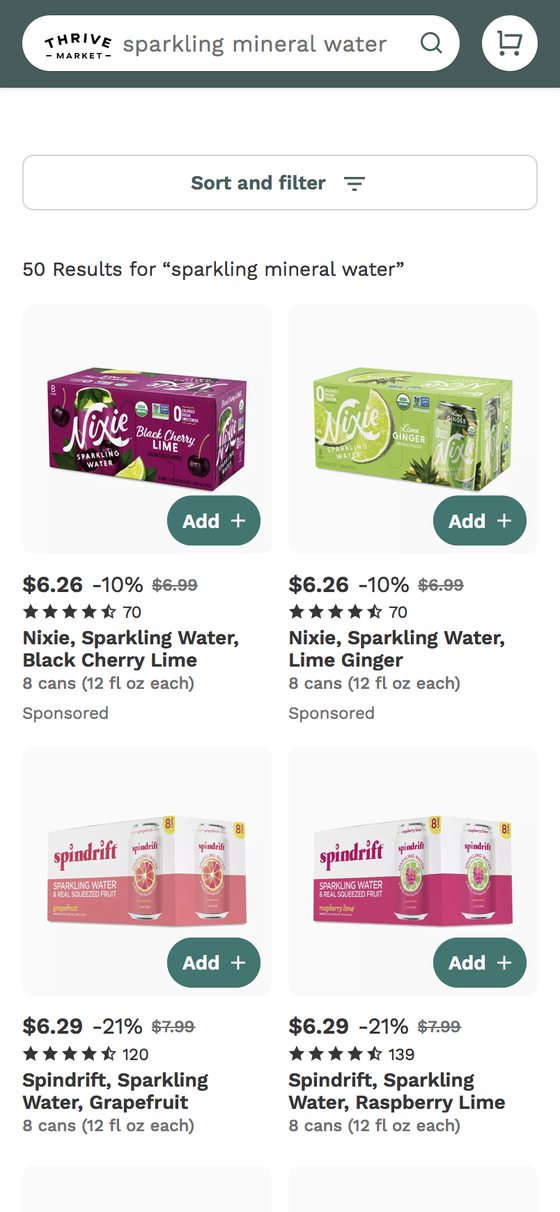
Observed on thrivemarket.com, signed in, Nov 3, 2026. On Nov 4 the same search returned 14 results, all dog products. Screenshot in Appendix C.
Summary
Problem
When someone searches for a brand Thrive doesn’t carry, search appears to match on shared words, and autocorrect rewrites brand names it doesn’t recognize. I ran 38 searches by hand, and 21 failed (55%). Examples:
- zero results despite deep substitutes (pellegrino returns 0; sparkling water returns 146);
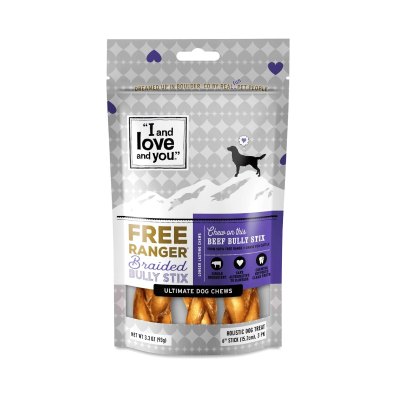
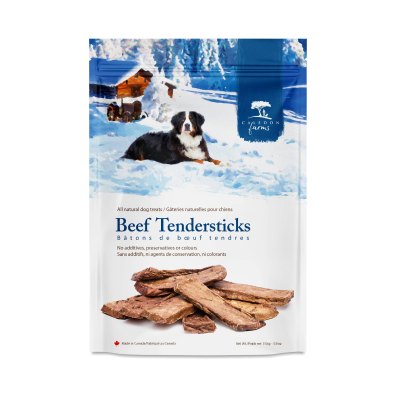
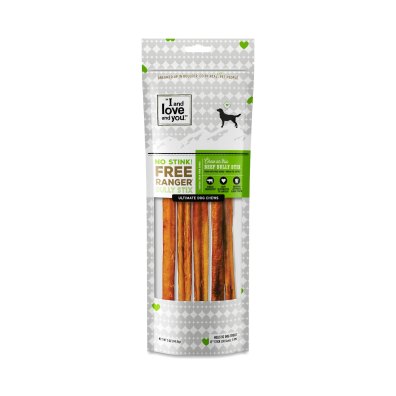
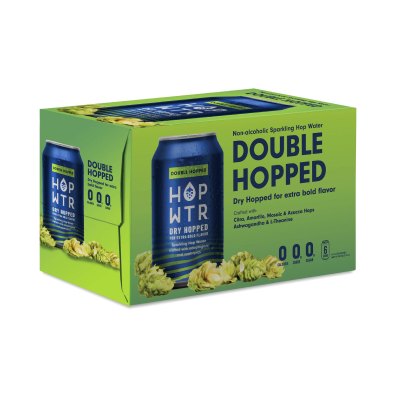
- rewrites into the wrong product (bubly becomes bully and returns dog chews);
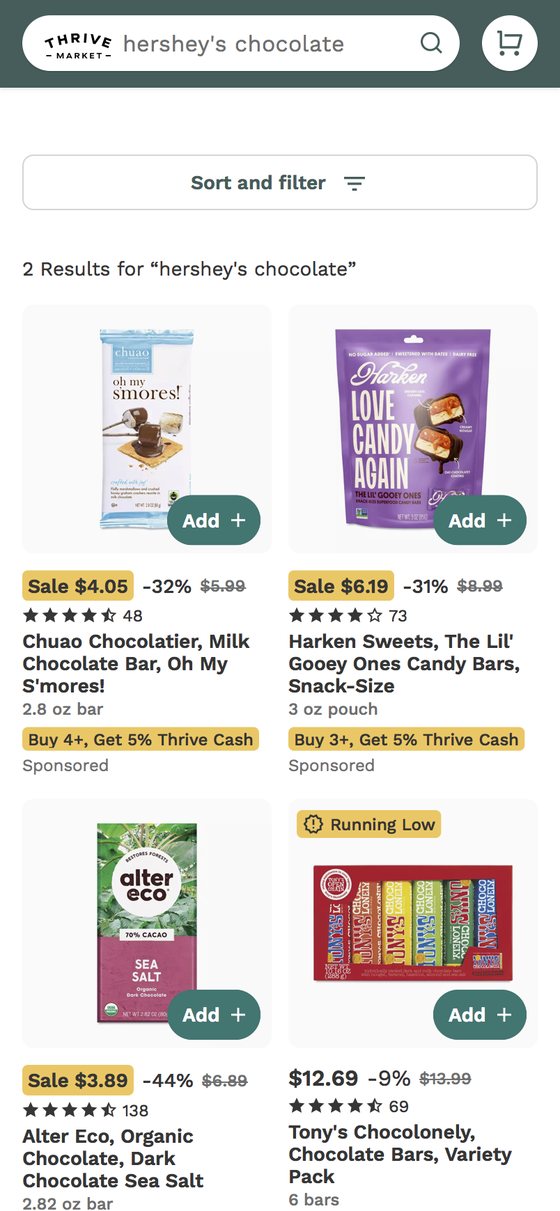
- near-empty pages (hershey’s chocolate returns 2; milk chocolate bar returns 44).
I picked this problem because it falls within the Discovery role’s scope, anyone can reproduce the evidence, and I expect search is one of the main ways members add what the auto-built cart missed.
Recommendation
When search can’t match a query, tell members what it found instead, and why. That takes two parts, which I’d design together and test separately.
- One recovery pattern with three confidence states, on web and app. It acknowledges the miss, shows how search read the query as editable chips, and leads with the closest match.
- Matching that understands the query. For any query that fails or gets rewritten, search returns a category, key attributes, whether Thrive carries the brand, ranked substitutes and a confidence score. A hand-curated mapping covers the most common failed queries first. Autocorrect stops rewriting queries into unrelated categories.
Success is a lower failed-search rate, meaning fewer search sessions that end with no add-to-cart and no successful rephrasing. I’d set the target with analytics once we know the baseline.
Key assumptions
- Failed searches are frequent enough to matter, and cluster in a member’s first weeks.
- Search is a main way members add what the auto-built cart doesn’t predict.
- Most brand-miss intents have strong in-stock substitutes. The audit supports this for drinks, snacks and household.
- Members accept a substitute more readily when search is open about substituting.
- The hand-curated mapping can grow to cover the long tail without losing precision.
Key tradeoffs
- Sponsored vs. regular results. On these searches, sponsored results are often more relevant than regular ones. Fixing regular results may lower sponsored clicks.
- Honesty vs. silent substitution. Saying “we don’t carry this” could cost some conversions.
- Leading with a match vs. asking. A closest match is fastest when search is right and worse than nothing when it’s wrong. Asking is slower but never misleads.
Q1. Evaluate
Onboarding sets the expectation: “We’ll fill your cart with expertly vetted products made with only the best ingredients. No more reading labels!” Where the site shows that curation, the membership feels worth it.
Onboarding was lengthy, with 24 screens before I saw a product, but I finished it. Where I felt let down was search. When I looked for something specific and got zero or near-empty results, the page didn’t meet the promise of expertly vetted products. That gap is what this case study is about.
I signed up as a new member and went through the site on mobile web and desktop on Nov 3, 2026. I used review sites (Trustpilot, Thingtesting, BBB, App Store) only to check whether other members saw the same patterns.
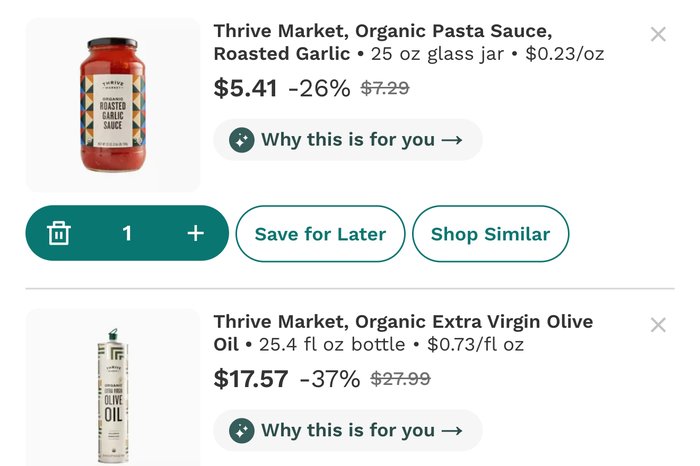
The cart explains its picks
Every item in the first cart has a “Why this is for you” link and a “Shop Similar” button. Thrive already builds recommendations that explain themselves, but only in the cart. Search, where members ask for something specific, never says what it understood or what it substituted.
Candidate problems
| Candidate | Member impact | Evidence | Discovery owns it | Verdict |
|---|---|---|---|---|
| Search can’t resolve brands Thrive doesn’t carry | ●●● | Strong: 38-query audit | Yes | Chosen |
| Onboarding length and the auto-shipping first cart | ●●● | Strong: walkthrough and reviews | No | Flag to growth |
| Savings claims members doubt | ●●● | Reviews only | No | Flag to merchandising |
| Overlapping navigation categories | ●●● | Moderate: walkthrough | Yes | Later IA work |
| Diet tags aren’t browse paths | ●●● | Moderate: walkthrough | Yes | Later |
| Category-page layout | ●●● | Moderate: walkthrough | Yes | Later |
| Home page for new members | Unknown | Weak: no purchase history | Partly | Needs data |
What worked and what didn’t, step by step
Hard to judge without purchase history.
Q2. The problem
Search can’t tell what someone means when they type a word the catalog doesn’t contain. In my audit, the clearest cases were brands Thrive doesn’t carry.
Curation guarantees some of these searches, since every brand Thrive leaves out has no exact match. They happen when a member is looking for something specific.
Who’s affected
- New members, most likely. They shop from lists built at regular grocery stores and search for the brands they know. I’d expect those first searches to shape whether $59.95 a year, or $12 a month, feels worth it.
- Established members trying a new category, who know Thrive’s snack brands but not its ice creams.
- Members with dietary restrictions, who can’t take just any substitute.
Symptom → root cause
- pellegrino returns 0 → search appears to have no link from brand to category; the query shares no words with “Rambler, Sparkling Mineral Water.”
- bubly returns dog chews → autocorrect appears to swap in a similar catalog word without checking whether it makes sense.
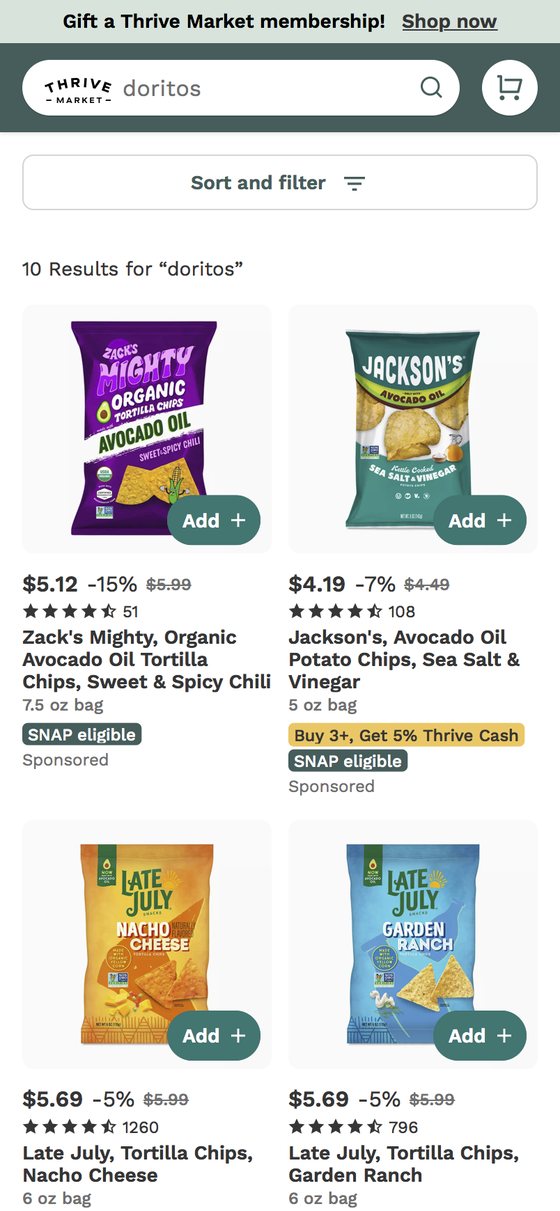
- doritos returns good substitutes but calls them “10 Results for doritos” → nothing tells the member these aren’t Doritos.
- Sponsored results relevant, the rest not → sponsored results likely come from advertisers bidding on competitor brand names, so the ads match the intent; regular results don’t use that signal.
The audit
I ran 38 searches for brands Thrive doesn’t carry, on desktop web, signed in, on Nov 3, 2026. I picked them by hand, so they show patterns. They can’t show how often each failure happens. Filter by category or outcome.
21 of 38 returned zero results, a wrong rewrite, a near-empty page or the wrong kind of product.
Household searches work. Drinks, frozen desserts and candy mostly fail. Search seems to depend on shared words. “Dish soap” matches Thrive’s dish soaps, but “Pellegrino” has nothing in common with Rambler.
Research
Anyone can reproduce the failure, so I wouldn’t spend research proving it exists. I’d use it to size the problem and to learn whether members trust a substitute when search is upfront about it.
- Search logs with analytics in week one: how often searches fail, for whom, and whether members who hit them place fewer second orders.
- An unmoderated prototype test with 8 to 10 members, half in their first 60 days. Each sees bubly, pelegrino and doritos in today’s version and the proposed one. I’d measure whether they can tell what Thrive carries, whether they’d add the substitute, and how strongly they agree that search understood what they wanted.
- A one-question intercept on empty and near-empty result pages, asking “What were you looking for?” It would replace the current “Tell us what you’re looking for” link.
Data asks
| Question | Data | Why it matters |
|---|---|---|
| How big is it? | Share of search sessions with zero results, 1–5 results, or no add-to-cart and no successful reformulation, by platform | Sets the failed-search baseline the pod steers by |
| Who hits it? | Failed-search rate by tenure: first 30 days vs. established | Tests the new-member hypothesis |
| Does it cost retention? | Second-order rate and renewal for members with 2+ failed searches in their first 30 days, vs. those without | Tells us whether this is a retention problem |
| What fails? | Top 500 failed queries, sorted into brand, misspelling, colloquial term and goal phrase | Sets priorities and seeds the training set |
Appendix A has five more, covering rephrased searches, autocorrect, advertiser keyword bids, sponsored revenue on these queries, and search experiments already running.
Q2. Recommendation
Better matching alone wouldn’t tell members what happened, and a clearer page alone wouldn’t find the right products. So I’d design the page and what search returns together, and test them separately.
Matching that understands the query
- When: any query with zero or few results, or one autocorrect wants to rewrite.
- What, field by field: category, key attributes, whether Thrive carries the brand, the exclusion reason when a standard applies, ranked substitutes, and confidence. Each field maps to something on the screen; confidence picks the state.
- First step: a hand-curated mapping covers the most frequent failed queries.
- Autocorrect: a rewrite must stay in a sensible category. Below the confidence threshold, search suggests the rewrite and leaves the query alone.
Considered and ruled out
| Option | Why not first |
|---|---|
| Better generic fallbacks: trending, deals, personalized picks | Ignores what the member just told us. |
| Hand-maintained synonym lists | Something like this may already exist, since doritos works. Lists can’t keep up with the long tail or a changing catalog. |
| Always return something, never zero | That’s how members end up with dog chews. It hides the failure instead of fixing it. |
| A conversational shopping assistant | Slower, costlier and riskier, and it solves a bigger problem than the one I found. |
I’d decide on my own
- The recovery states, hierarchy and interaction
- Copy and voice for “we don’t carry,” as a standard
- A first draft of what search must return
- How autocorrect behaves for the member
- The shared component and its documentation
I’d bring to design review
- Confidence thresholds: precision vs. coverage (ML, PM, analytics)
- How the mapping grows past the hand-curated set (search engineering, ML)
- Keeping sponsored out of the closest-match slot (PM, ads, finance)
- Naming excluded brands and saying why (legal, merchandising)
- What “request this brand” commits Thrive to (merchandising)
- Component API and naming (design-system owner)
Measuring it
I’d track one number, the failed-search rate. The main guardrail is relevance on searches that already work. Other measures are in Appendix A.
I’d ask analytics to test the matching fix and the new page separately, so we know what each contributes.
Stop the worst failures
- Gate autocorrect by category
- Say “we don’t carry X”
- Count sponsored tiles
- Map the top failed queries by hand
Resolve intent at scale
- Extend the mapping to the long tail
- Three confidence states
- Shared component, all platforms
- Request this brand
- Test matching and page separately
Later, the same pattern handles goal queries like “high protein, low sugar,” which moves Discovery from brands to needs.
Q3. Craft
I designed the mobile search results page for “bubly” because it’s the clearest before and after. Today that search returns dog chews. The Today and Confident screens come from my Figma designs and use Thrive’s current type, colors and components. Switch between today’s page and the three proposed states.
14 Results for “bully” | Search instead for bubly1
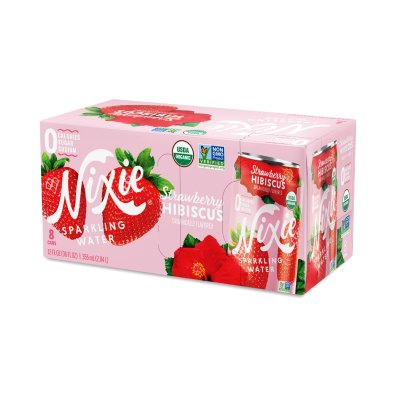
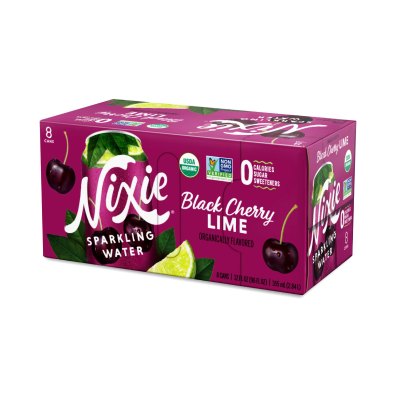
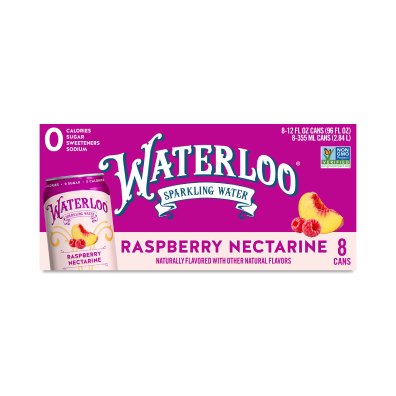
We don’t carry bubly
Here’s sparkling water that meets our standards.
1Closest match
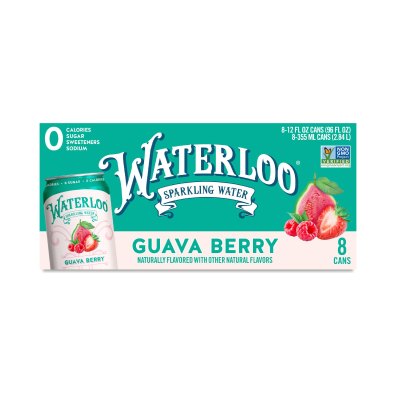

We count every request.
Searching for something else? Search “bully” instead8
Showing sparkling water
Best match for “bubbly.” Choose another option below to change the results.
1Closest match
Which did you mean?
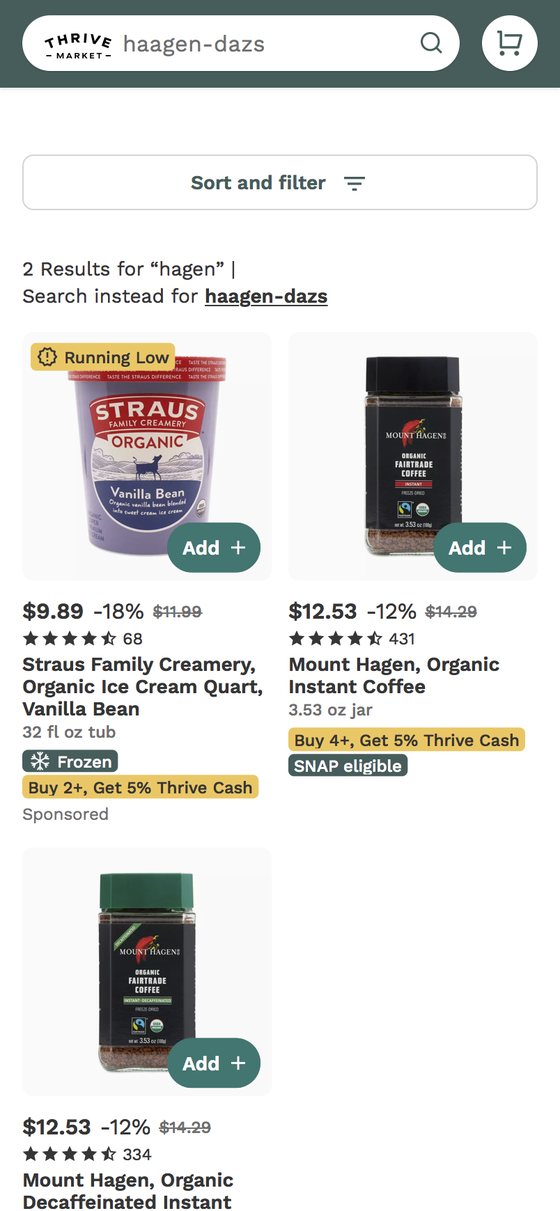
“hagen” could be a couple of things.
1We carry it · organic instant coffee
We don’t carry it · see 45 ice creams
Or browse3
Hierarchy, tone and delight
Visual hierarchy
The page answers questions in the order a member asks them: does Thrive carry it, what’s the closest match, and what else is there. Only the closest match gets emphasis. Everything else is quieter than today’s grid.
Emotional tone
Plain and helpful. Today’s “Awww Shucks!” apologizes. The new page says what happened and what to buy instead. When a standard excludes a brand, the page gives the reason in one line and links to the standard.
Delight
The reason line can use what the member told us at sign-up. If they asked to avoid added sugar, it says “No added sugar, as you asked.” That extends the cart’s “Why this is for you” into search, and makes the page feel like it knows the member. It depends on whether search can read onboarding preferences, one of my questions for Thrive.
Motion stays quiet: removed chips fade out and tiles slide to their new spots, and the closest match settles in just after the heading. Both turn off with reduced motion.
Into production
- Built from Thrive’s existing type, colors, pills, buttons, pagination and related searches, so it ships as new states of today’s results page.
- Three states plus an “excluded by standard” variant.
- Tightened spacing and the type scale, and tinted body text toward Thrive’s green.
- Edge cases and accessibility notes are in Appendix B.
Assumptions and open questions
| Assumption | How it shaped the approach | If it’s wrong |
|---|---|---|
| Brand-miss and few-result searches are a meaningful share of sessions | Measured as a pod-level metric | Fold into a broader relevance effort, with recovery as its first phase |
| Failures cluster among new members | Framed around perceived value | Keep the fix; drop the retention claim |
| Most failed intents have in-stock substitutes | The closest match leads the screen | The ask and request states carry more weight |
| Members accept substitutes when search is open about it | The acknowledgment comes first | Test a quieter acknowledgment; keep the chip |
| The hand-curated mapping can grow to the long tail | Hand-curated first, scale second | Keep the hand-curated mapping and grow it with merchandising |
| Search carries more traffic than category browsing | Prioritized search over category pages | Apply the same pattern to category pages first |
| My audit reflects what most members see | Used as primary evidence | Re-run the audit from another account |
Questions for Thrive
- Is a search experiment running that could change these results?
- Does search already use onboarding preferences, such as gluten-free, in ranking? If so, the chips should show them.
- Who owns autocorrect: search engineering, a vendor, or configuration?
- Where do “Tell us what you’re looking for” submissions go today?
- Will legal and merchandising allow exclusion reasons on the page?
Appendix
A. Data asks and measures
| Question | Data | Why it matters |
|---|---|---|
| How big is it? | Zero, 1–5 result, and no-add-to-cart search sessions, by platform | The failed-search baseline |
| Who hits it? | Failed-search rate by tenure | Tests the new-member hypothesis |
| Does it cost retention? | Second order and renewal, members with 2+ early failed searches vs. without | Shows whether it’s a retention problem |
| What fails? | Top 500 failed queries by type | Priorities and training set |
| What do members do next? | Reformulation pairs ending in add-to-cart | Shows which substitutes members accept |
| How much does autocorrect cost? | Share of queries rewritten; exit rate after a rewrite vs. none | Sizes the “bully” problem |
| What do advertisers know? | Sponsored keyword bids and the categories of bidding products | A second labeled dataset, curated by brands |
| What’s in flight? | Results of current search experiments | Avoids duplicate work; sets a precision baseline |
| What’s at stake commercially? | Sponsored revenue and click-through on brand-miss queries | Sizes the sponsored vs. regular tradeoff early |
Secondary measures
- Add-to-cart from recovery states
- Brand requests per failed query
- Precision of search’s reading, on a weekly human-rated sample
- Long term: second-order rate and 90-day retention for new members, read from a longer-running holdout
Guardrails and implementation notes
- Sponsored revenue on brand-miss queries
- Search latency
- Resolve the most frequent failed queries in batch, offline, so cost and latency stay out of live search. Merchandising reviews the head; the long tail publishes above a confidence threshold.
B. Edge cases and accessibility
Edge cases
- Every substitute out of stock: lead with a restock alert and the next-closest category.
- Only one substitute: no grid; the closest match plus browse entry points.
- A query mixing a carried and a missing brand: resolve the missing part only.
- Very long brand names: two-line clamp in the acknowledgment.
- Signed-out members: the same states, with the request row asking for an account.
- Exclusion reason missing from merchandising data: show no reason rather than a guess.
Accessibility
- A live region announces “No exact match for bubly. Showing 146 results for sparkling water.”
- Chips are real buttons with labels such as “Remove Flavored.”
- The closest match comes first in reading order.
- Screen readers announce sponsored labels.
- The reason line needs to meet contrast on its tinted pill.
C. Screenshots
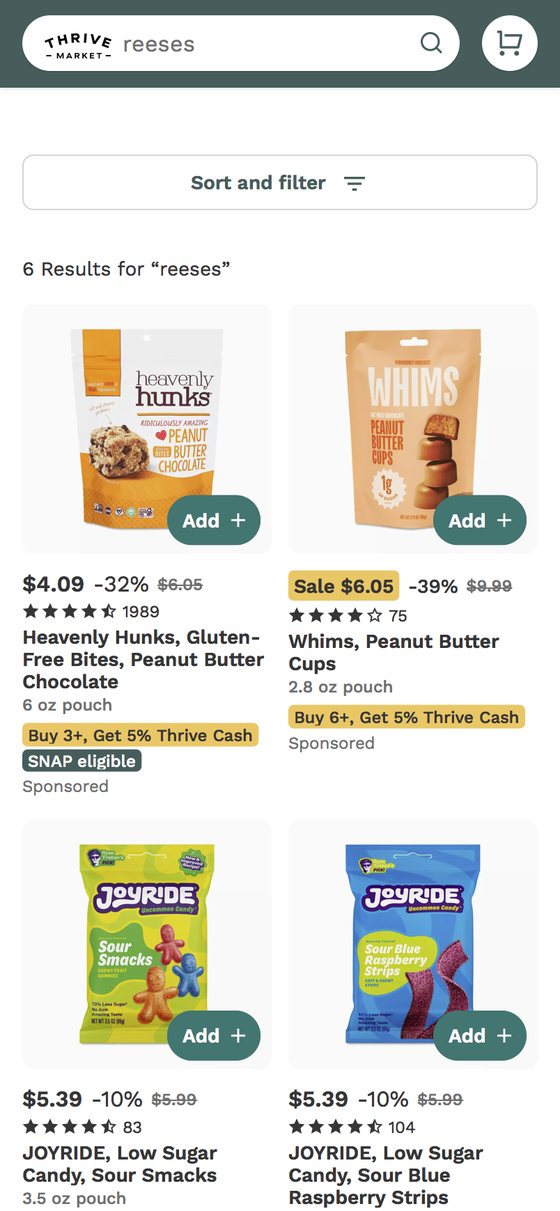
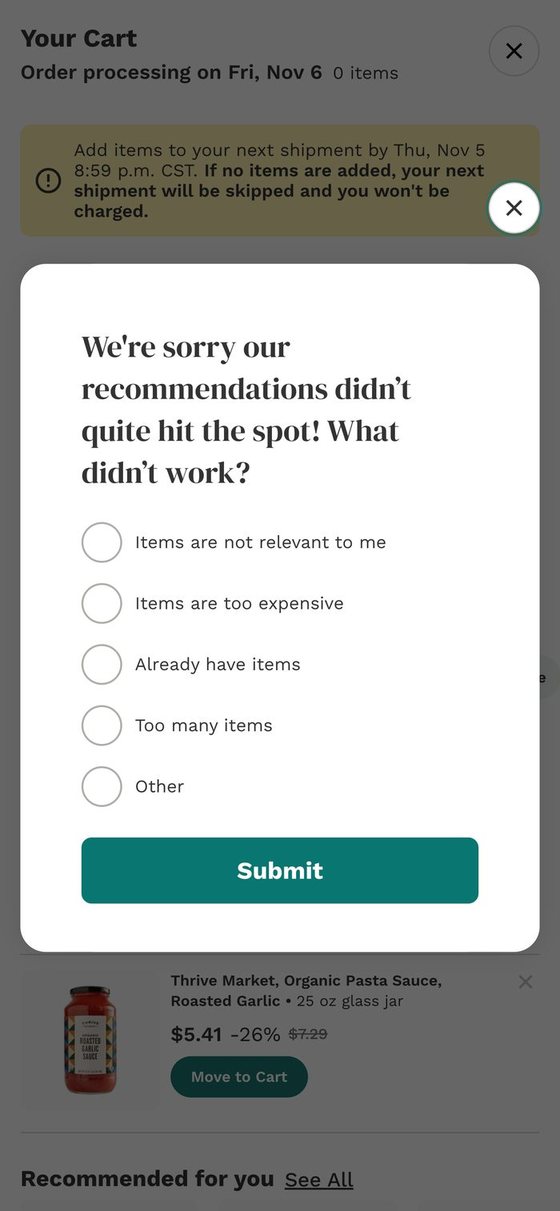
Mobile web, Safari, Nov 4, 2026. First screen of each results page.
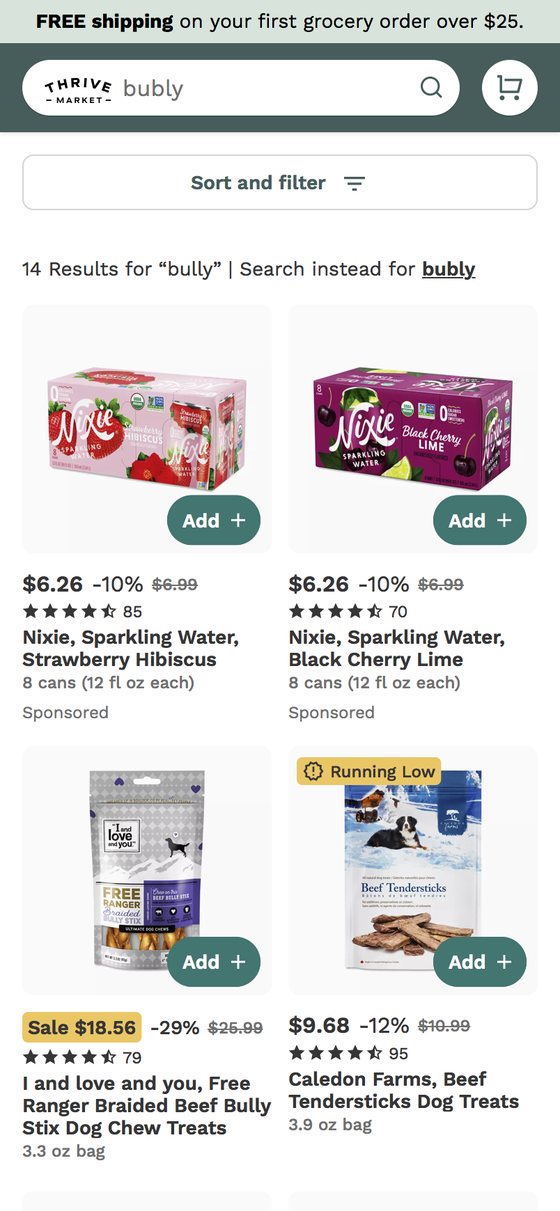
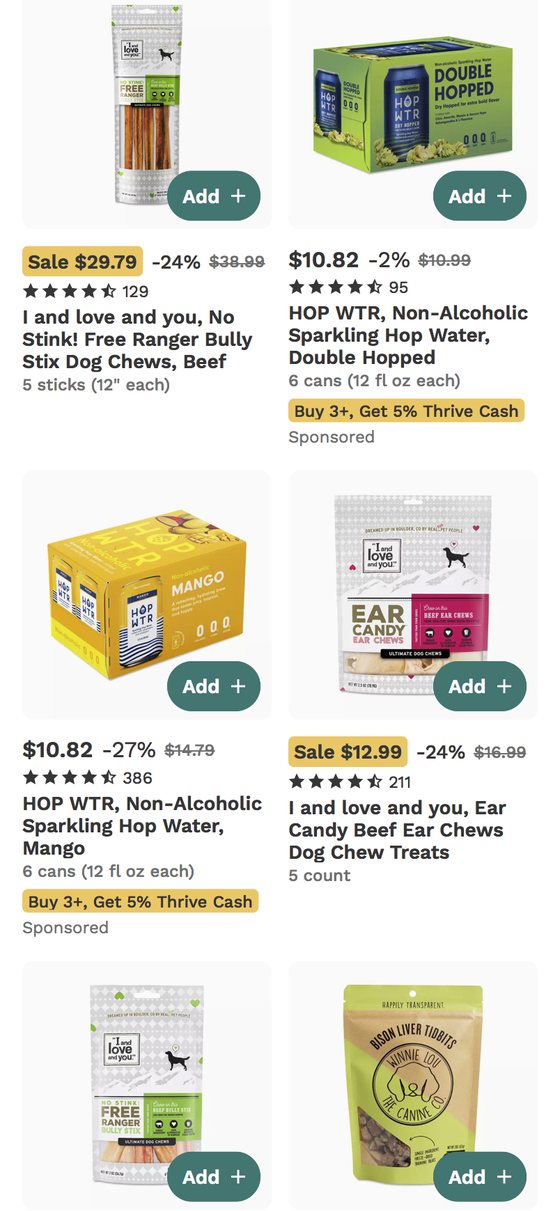
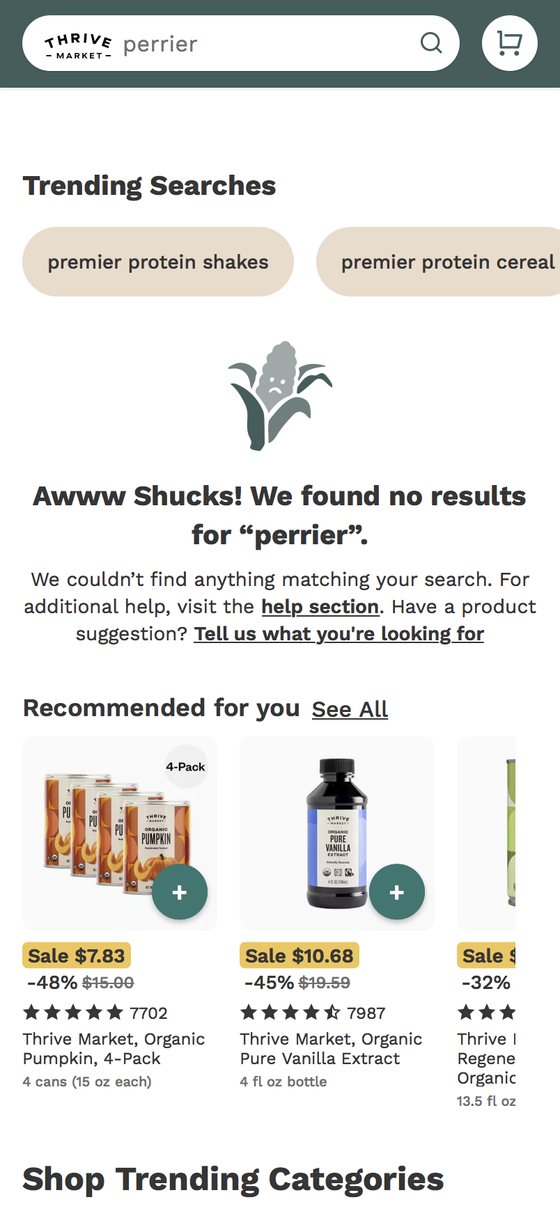
D. Method and sources
Audit: 38 queries for brands Thrive doesn’t carry, plus four controls for brands it does carry (all returned correctly). They were run on desktop web while signed in on Nov 3, 2026, and four were checked visually with screenshots. Onboarding and the first cart were walked on mobile web the same day. The Appendix C screenshots were captured on mobile web in Safari on Nov 4; only the bubly results had changed overnight. Results may differ for other members if search experiments are running.
- Supermarket News: How Thrive Market uses tech to make online ordering easy and fast (Sept 2025): the auto-built cart and the “about 50%” prediction goal
- Taste Radio: Why Thrive Market sees AI-powered, personalized health as the future (2026): tracking no-result searches; trust as the barrier
- FoodNavigator: Thrive Market tests a guided shopping quiz (2019): 70+ lifestyle filters
- Trustpilot, Thingtesting and App Store reviews